

Mirror Link

Features of Mirror Link
Easy Screen Mirroring
Mirror Link allows you to effortlessly mirror your Android device's screen to any compatible display, such as your TV or computer monitor. Experience the convenience of viewing your smartphone content on a larger screen.
Wireless Connectivity
With Mirror Link, you can connect your Android device to the external display wirelessly, eliminating the hassle of dealing with cables. Enjoy seamless mirroring and control your device from a distance without any restrictions.
Multi-platform Support
Whether you have a smart TV, Chromecast, or Miracast-enabled device, Mirror Link supports a wide range of platforms. This cross-platform compatibility ensures that you can mirror your Android screen on various displays, regardless of the brand or model.
Tips
🚗 Connect effortlessly.
Start by ensuring your smartphone and car system are connected to the same Wi-Fi network. This crucial step is the foundation for a successful wireless connection. Turn off any VPN services on your phone to ensure uninterrupted connectivity.
📱 Enable miracast.
On your car's display system, activate the 'Miracast' function. This may require manual enabling in some vehicles, so check your car's information settings if necessary. Miracast technology is key to establishing a mirror link between your phone and car.
🖥️ Mirror and share.
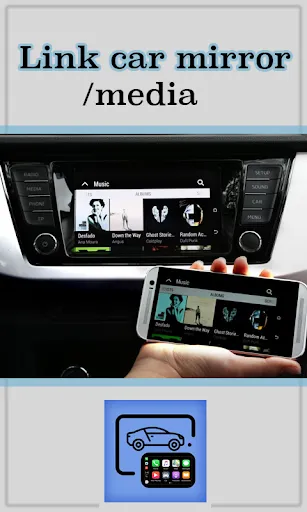
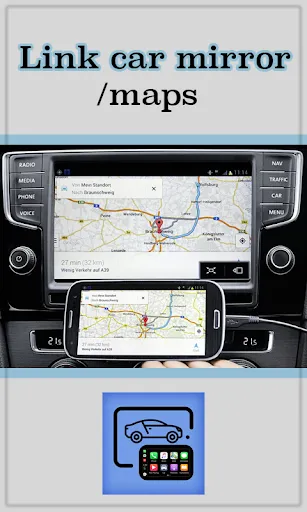
Once connected, you can mirror and share your phone screen to your car's display. This feature is perfect for safely navigating apps, music, and calls while driving. It provides a convenient, larger view of your phone’s content, directly on your car's screen.
Pros & Cons
- Cable-free connection
- Compatible with car and home TVs
- Automated music control
FAQ
How do I connect my phone to my car's screen using Mirror Link?
Connect your phone and car to the same Wi-Fi network, turn off VPN on your phone, and enable 'Miracast' on your car's display system to establish the connection.
Ratings
Similar Apps


Top Apps








